Many caption apps and websites send your video, or its audio, to the company's servers. Speech recognition runs there, and the captions come back to your device. It's a reasonable design: a server can run a large model for any phone. It also means a copy of the recording sits on someone else's computer for a while, under that company's privacy policy and usually tied to an account. How long it's kept and what it may be used for are their decisions.
For most videos that's fine. For some it isn't: an interview with a source who spoke on the condition that their voice goes no further, a therapy or coaching session, a client's statement, students on camera, footage of something unreleased, your own kids. I make CapiCap, which does the whole job on the device instead. Below is what it sends, what it doesn't, and how to check that without taking my word for it.
What CapiCap sends
One thing. The first time you open it, it downloads its speech model, OpenAI's Whisper, from Hugging Face. That download carries no personal data, and it's the only network request the app makes. Once it's done, CapiCap works with no connection at all.
What stays on your device
Everything else. Transcribing, editing, styling and exporting all happen on the device, so the video, its audio, the transcript, your edits and the finished file stay there. None of it is uploaded to me or to anyone else. There's no account, there are no analytics, tracking or advertising SDKs, and the app doesn't use the Advertising Identifier (IDFA). Even the count of your free exports is kept in the device's Keychain and never leaves it.
A few smaller things work the same way. CapiCap never asks to read your photo library: the system's photo picker hands it only the video you choose, and Save to Photos asks only for permission to add a video. On devices with Apple Intelligence, projects get their names from Apple's on-device model. If you buy Lifetime access, Apple handles the purchase, and the app receives only StoreKit's confirmation, on your device.
Since no server receives your content, there's nothing of yours for me to store, sell or hand over. The App Store privacy label says "Data Not Collected", and the privacy policy says the same at more length.
Checking it yourself
Airplane mode is the simplest test, and it works on any app.
- Open CapiCap once while you're online. It's free on the App Store. Wait for the speech model to finish downloading.
- Cut the connection. On iPhone or iPad, turn on Airplane Mode and check in Control Center that Wi-Fi is off too: if you've turned Wi-Fi back on in Airplane Mode before, the device remembers that. On a Mac, turn off Wi-Fi and unplug any network cable.
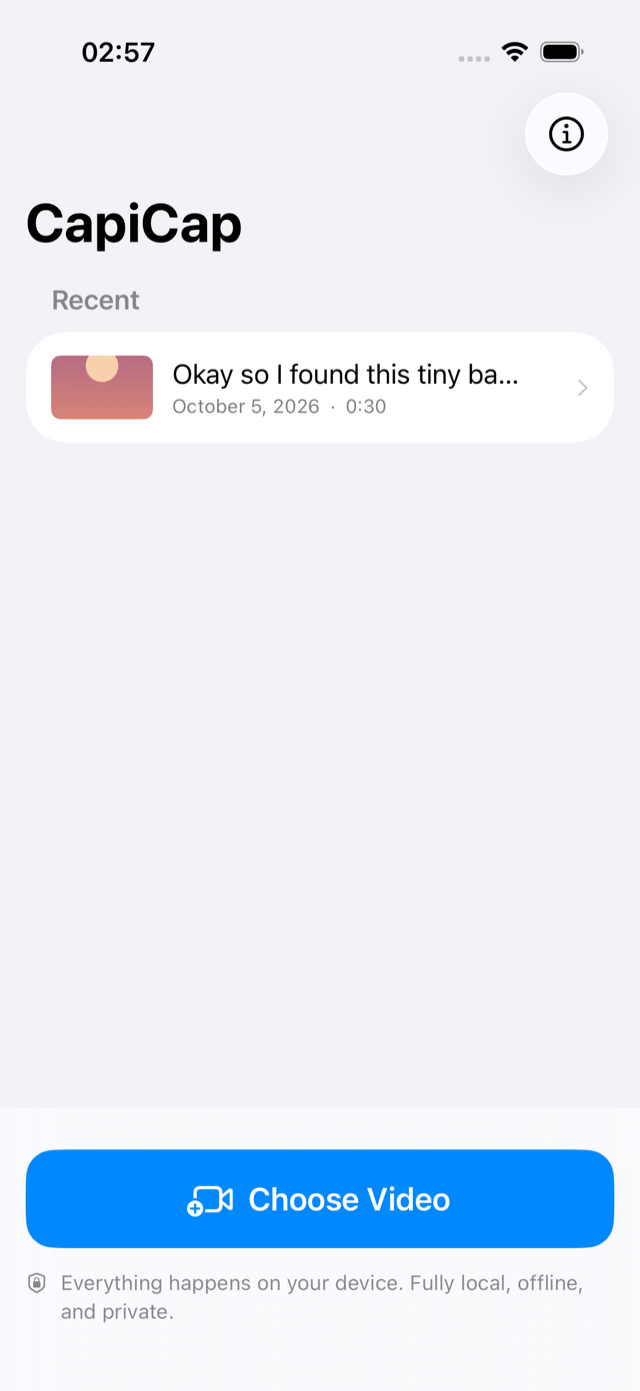
- Caption a video. Tap Choose Video, let it transcribe, fix a word, then tap Export, Export video and Save to Photos. It all works, because none of it needs the network. Use a video that's stored on the device: if your Photos library keeps full-size originals in iCloud, a video may have to download before any app can open it.
For a second check, iPhone and iPad have App Privacy Report (Settings, then Privacy & Security). Once it's on, it lists the domains each app contacts.
The same questions work for any caption app. If transcription stops without a connection, the audio is going to a server. If the app needs an account, your recordings are tied to you. Its privacy policy should say how long uploaded files are kept and what they may be used for, and the App Privacy section of its App Store listing shows what the developer says it collects. None of that makes a cloud app a bad app. It tells you where your copy goes.
Where your video ends up on the device
The video you choose is copied into CapiCap's own storage, along with its transcript and your caption edits. Deleting the project on Home removes all three.
Like any app's data, CapiCap's projects can be part of your device's backup, to iCloud or a computer, if you back up. If that matters, delete a project when you're done with it.
Save to Photos adds the finished video to your library, and if iCloud Photos is on, it syncs like any other video you add. To keep an export off iCloud, use Share… and save it to a folder on the device instead, such as On My iPhone in Files.
CapiCap has no lock of its own, so anyone who can unlock your device can open its projects.
What it isn't
CapiCap isn't a compliance product and makes no certification claims, so check your organization's own rules for recordings. It doesn't label speakers, which matters for interviews, and it doesn't translate. Speech recognition makes mistakes, mostly with loud music, people talking over each other and heavy accents, which is why every caption can be edited. If what you need is a written transcript, Export .srt gives you the text with its timings; there's a guide to that. And it runs on Apple devices only: iPhone, iPad and Macs with Apple silicon.