Why CapiCap
Everything a caption app should be. Nothing it shouldn't.
No sign-ups, no upload spinners, no watermarks. Just a fast, friendly way to caption the videos already on your device.
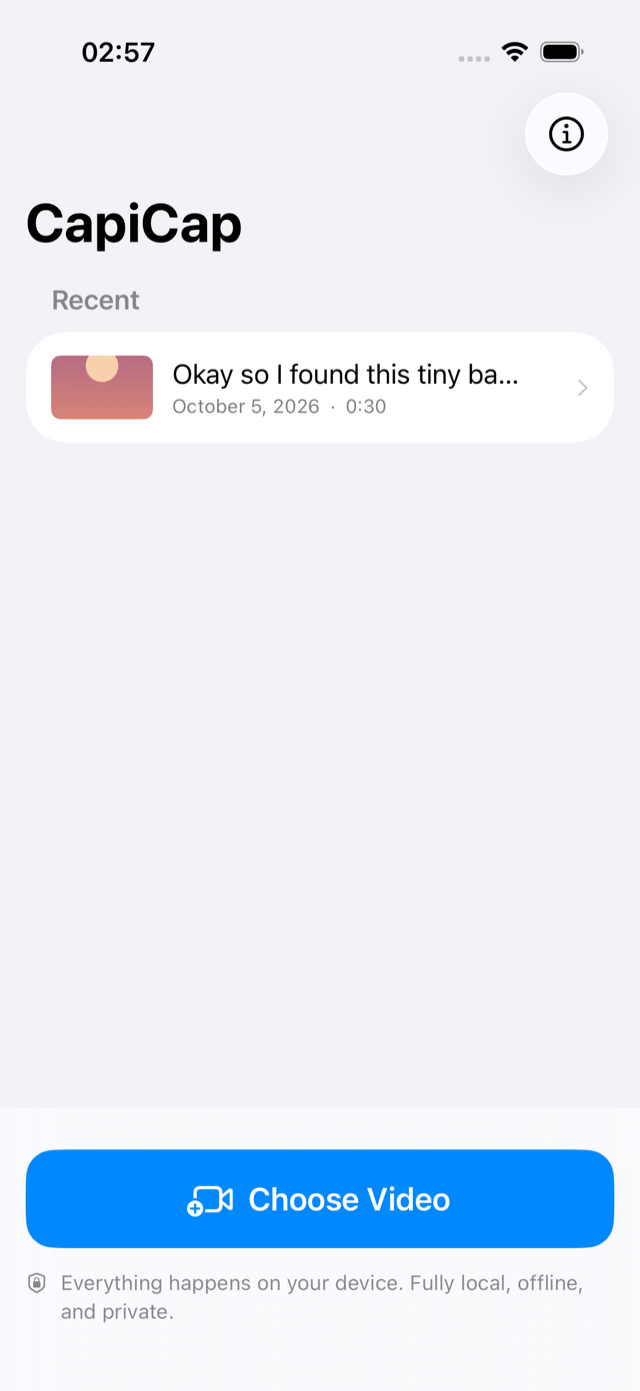
100% on your device
Transcription runs locally with Whisper via WhisperKit. Your videos, audio, and transcripts never leave your device.
Free for hobbyists
Your first 3 exports every month are on us. No watermarks, no ads, no accounts, no subscriptions. Want unlimited exports? Lifetime access is a one-time purchase.
Fix words & pick a style
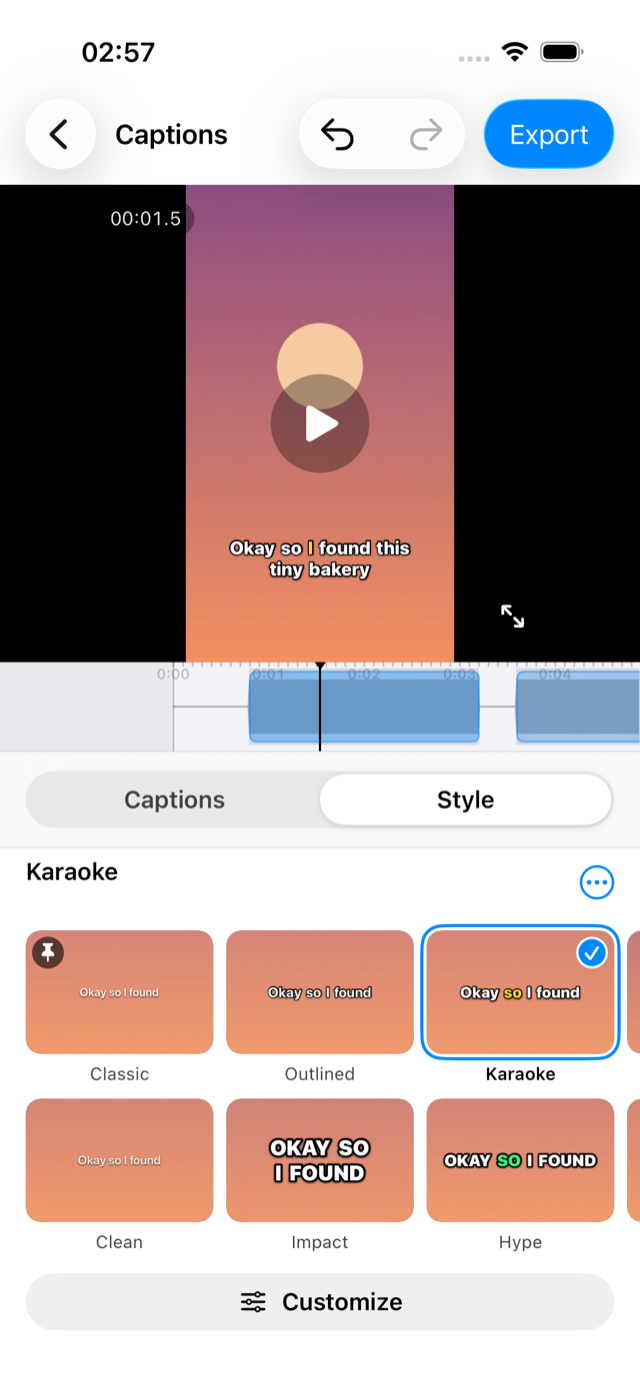
Edit any caption inline, then pick one of twelve ready-made looks or customize the font, weight, outline, colors and position. See it on the preview before you commit.
Burn in or export .srt
Export a new video with subtitles baked in, or grab a standard .srt file to use anywhere else.
Original quality
Exports keep your video’s resolution, frame rate and bitrate, 4K60 included. Nothing is downscaled, and the sound is copied as is.
Private by design
Your videos stay on your device
CapiCap works fully offline. The only time it touches the network is a one-time speech-model download on first launch — after that, airplane mode works fine.
- No accounts, no analytics, no tracking
- Nothing is uploaded to us or anyone else
- Revoke media access anytime in iOS Settings
Which model? On iPhone 13 and later, iPhone SE (3rd generation), iPad mini (6th generation) and later, iPad (A16) and every iPad with an M-series chip, CapiCap runs Whisper Large v3 — a 630 MB download and the most accurate model it ships. Older devices, back to the iPhone XS and the 2018 iPad Pro, run Whisper Base (150 MB) instead: it's the largest model those devices can handle, so captions need a few more corrections. CapiCap picks for you — there's nothing to configure. You can always see which model your device uses under About CapiCap in the app.
Editor
Get every word right
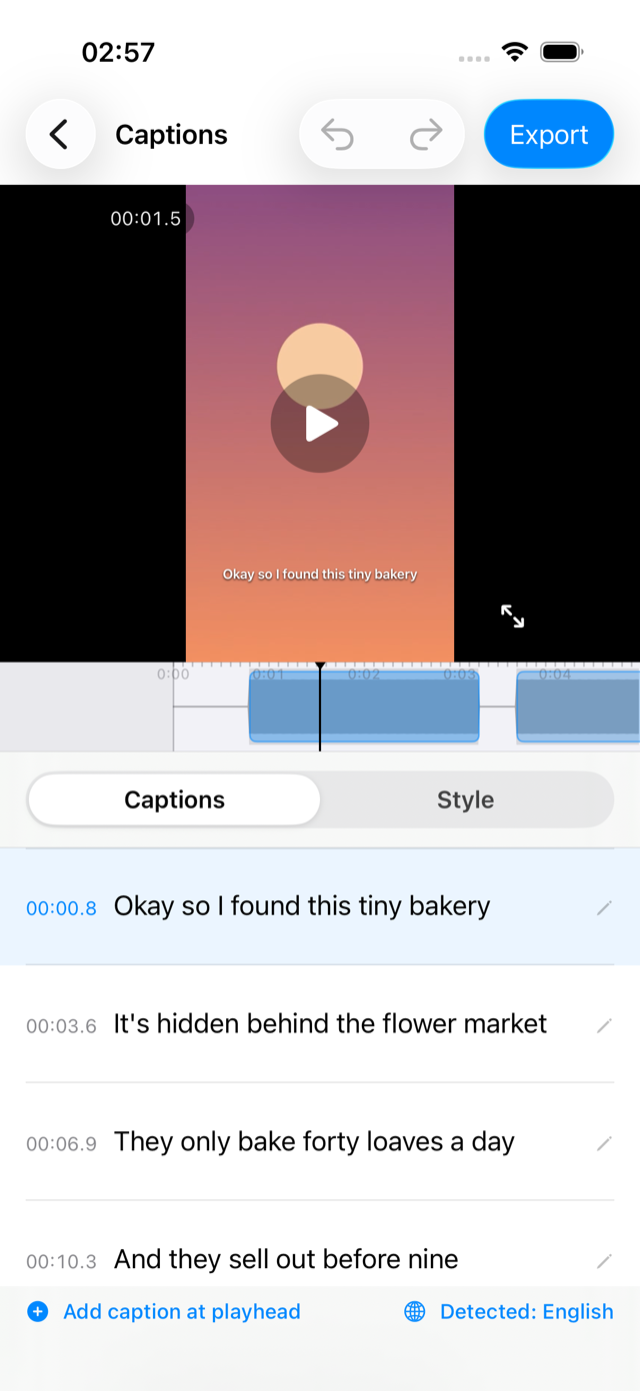
The whole transcript is laid out as tappable cues synced to the timeline. Fix a typo, split or add a caption, and try a new look in a tap — or save your own. Then watch it back full-screen, captions and all, before you export.
- Inline editing with undo & redo
- Twelve looks, plus font, weight, outline, color, motion and position
- Understands 99 languages, detected automatically
- Projects even name themselves — with Apple Intelligence, on devices that have it
Now on iPad
A bigger canvas for every word
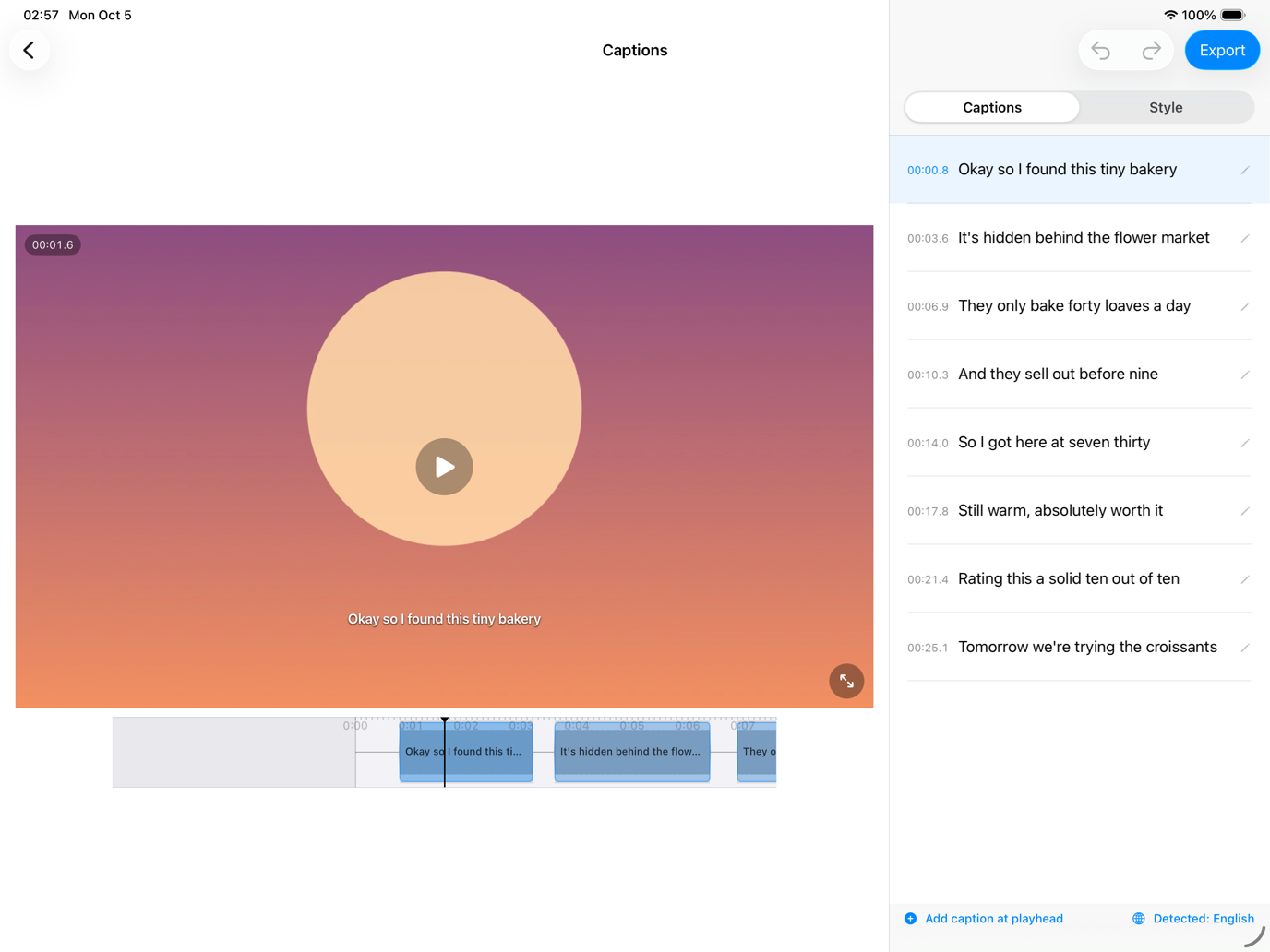
One universal app — the same download on both. On iPad in landscape the preview and the whole transcript sit side by side, so you fix a word and see it on the video without scrolling; portrait stacks them into a tall list. Every orientation, Split View included.
The whole app
Free to start. Yours for good.
CapiCap is free to download, and your first 3 exports every month are on us. Want more? Lifetime access unlocks unlimited exports with one purchase — never a subscription. Every feature is there from the start.
Download on theApp Store